
-
マルチメディア
-
データ復旧ツール
-
無料AIツール
-
無料ツール
-
サポート
-

 High-Quality Sound
 Fully Online Accessible
 Compatible with Any Device or Browser
This downloader supports a wide range of popular websites, including YouTube, SoundCloud, Facebook, Instagram, and more, making it incredibly versatile. Whether it's a music video, podcast, or any other audio content, you can easily save it in MP3 format by simply copying and pasting the link. The process is straightforward and requires no technical skills, so anyone can start downloading their favorite audio files in minutes.
MP3 is one of the most universally accepted audio formats, ensuring compatibility with almost all devices and media players. Once downloaded, you can listen to your audio offline on smartphones, tablets, computers, or even car stereos without needing an internet connection. This flexibility makes it perfect for users who want to enjoy music or audio content anytime, anywhere.
One of the biggest advantages of this MP3 downloader is that it's completely web-based. You don't have to worry about downloading any software or installing browser extensions, which makes the process fast, simple, and secure. This also means you can use the tool on any device with an internet connection, whether it's a phone, tablet, laptop, or desktop computer.
Being 100% online means you can start downloading audio instantly without any setup or risk of malware. The service works seamlessly across all major browsers, including Chrome, Firefox, Safari, and Edge, ensuring a smooth and consistent experience regardless of your preferred device or platform. It's perfect for anyone who values convenience and safety when downloading audio files.

Before downloading, you have the option to choose from various audio quality settings, allowing you to balance between file size and sound clarity. Whether you need a smaller file to save space on your device or want the highest quality for a richer listening experience, this downloader has you covered. This flexibility allows you to tailor your downloads to suit
your needs, whether for casual listening or professional use.
Higher bitrate MP3 files offer better sound quality but come with larger file sizes. In contrast, lower bitrates are more space-efficient but sacrifice some audio detail. This choice enables you to optimize storage and playback quality according to your device and personal preferences. It's a smart way to make sure you get exactly the audio experience you want without compromise.

This tool enables them to download and save these resources for offline access. It makes it easier to study at any time and from anywhere, even without an internet connection.

Music enthusiasts and audio collectors can easily build and organize their personal libraries by downloading favorite songs, podcasts, or soundtracks from multiple platforms in high-quality MP3 format.

Quickly save audio clips for presentations, videos, or projects. It ensures they have reliable access to needed files offline and prevents interruptions during important events or creative work.
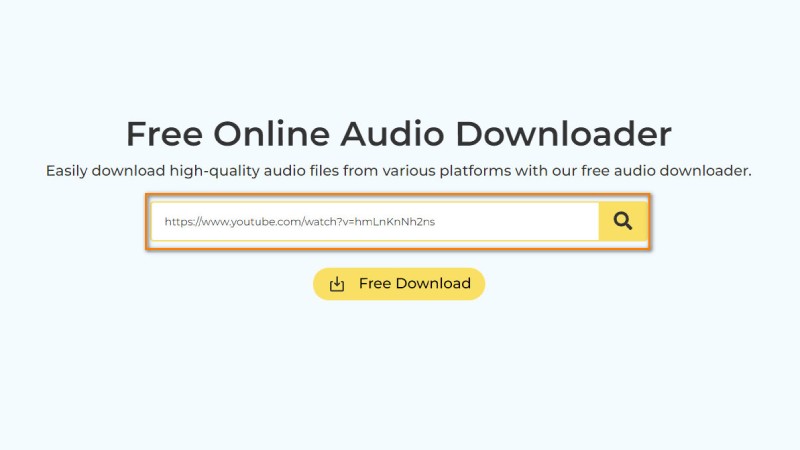
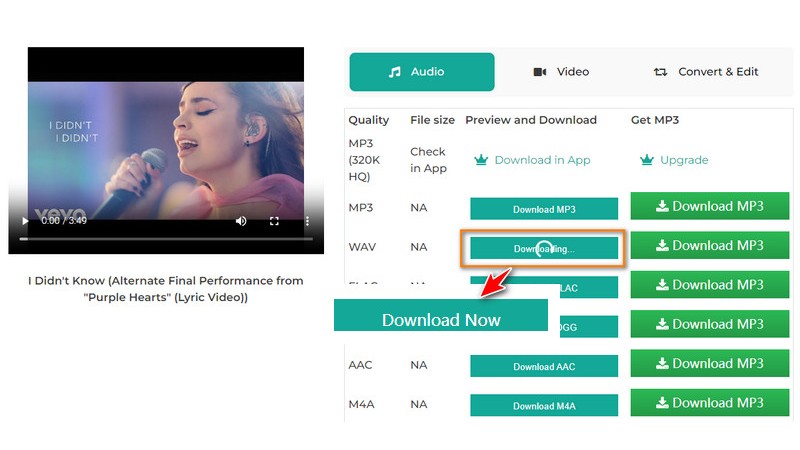
First, go to the website where your desired audio is hosted. Play the audio or video you want to save, then copy the full URL from your browser's address bar. Ensure you copy the entire link to prevent errors during the download.
Next, open the Online MP3 Downloader page in a new tab or window. Paste the URL into this field, then click the button to start the process. The tool will quickly analyze the link and display available download options.
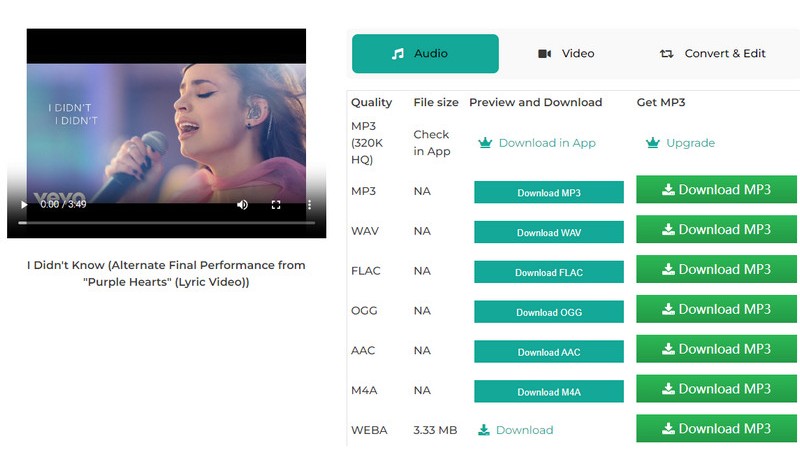
Once the available options appear, select the MP3 format along with your preferred audio quality.After making your choice, click the "Download" button. The MP3 file will then be saved directly to your device, ready to play offline at any time.
No, this downloader only works with publicly available audio or video links. Files that are private, restricted, or behind login walls cannot be accessed or downloaded. To ensure a smooth download, always use links that are freely accessible without requiring a login.
Currently, the tool supports downloading one audio file at a time. Batch or playlist downloads are not available yet. However, you can download multiple files individually without any restrictions or waiting periods, making it easy to build your collection one step at a time.
This downloader saves the full audio track as it appears on the source platform and does not offer trimming or cutting features. Suppose you want to save only a segment of the audio. In that case, you'll need to use a separate audio editing tool after downloading.
The file name after download may vary depending on the source website and your browser's settings. In most cases, the original title or a simplified version of it is preserved. You can always rename the file manually on your device to keep your library organized.
If a download doesn't start or the tool can't load the audio, try refreshing the page and re-entering the URL. Double-check that the link is correct and the audio is still available online. If problems persist, try using a different web browser or check your internet connection for stability.
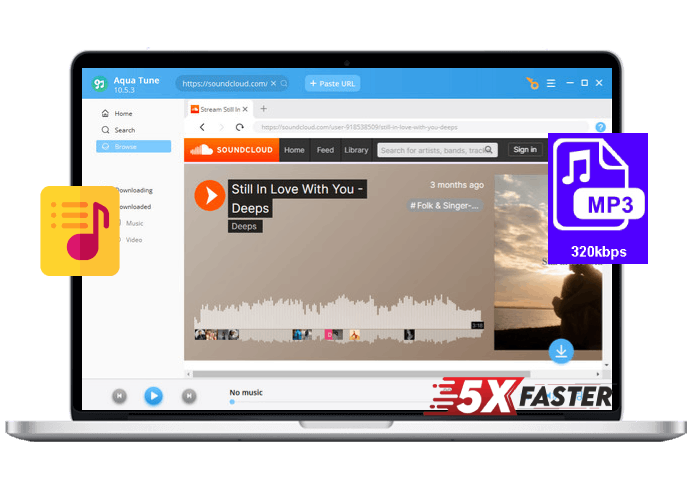
















 Aqua Tune