
-
マルチメディア
-
データ復旧ツール
-
無料AIツール
-
無料ツール
-
サポート
-

 High Speed Conversion
 24/7 Customer Support
 High Quality Results
This online tool is designed for simplicity and convenience, allowing you to use it instantly—no registration required. You won't be required to create an account, share your email, or undergo lengthy verification processes. Just copy the video link, paste it into the converter, and download your MP4 in seconds.
For users who value privacy and speed, this feature is especially helpful. You can convert videos anonymously, without worrying about your data being tracked or stored. It's ideal for quick, one-time downloads or frequent use without the hassle of remembering login credentials or filling out forms.
Once you paste your video link into the tool, you'll see a quick preview of the content before you start the download. This allows you to confirm that the video is correct, so you don't waste time or storage downloading the wrong file. It's particularly useful when dealing with generic titles, shared links, or playlist videos.
The preview also enhances the user experience by providing confidence and clarity during the process. Whether you're saving educational content, tutorials, or entertainment clips, this feature gives you full control and accuracy. It reduces guesswork, improves efficiency, and makes the overall download process smoother and more intuitive.


Our service ensures that your videos are downloaded in clear, high-definition MP4 format, preserving both visual and audio quality. Whether you're downloading a 720p video for mobile use or a 1080p/4K video for larger screens, the final file remains crisp, vibrant, and reliable for offline viewing.
Unlike some tools that compress files or add watermarks, this converter produces clean MP4s without compromising quality. It's ideal for professionals, educators, or anyone who requires
high-quality videos for presentations, content creation, or personal use. No glitches, no distortion, just smooth,
high-resolution playback every time.

This tool is perfect for everyday users who want to download their favorite videos for offline viewing. You can enjoy your saved videos anytime, on any device, without the frustration of streaming issues.

This MP4 converter allows them to download and store those videos offline. It makes it easier to edit videos without relying on internet access and add music.

It provides a quick way to extract high-quality MP4 files that can be used in presentations, training sessions, or creative projects.
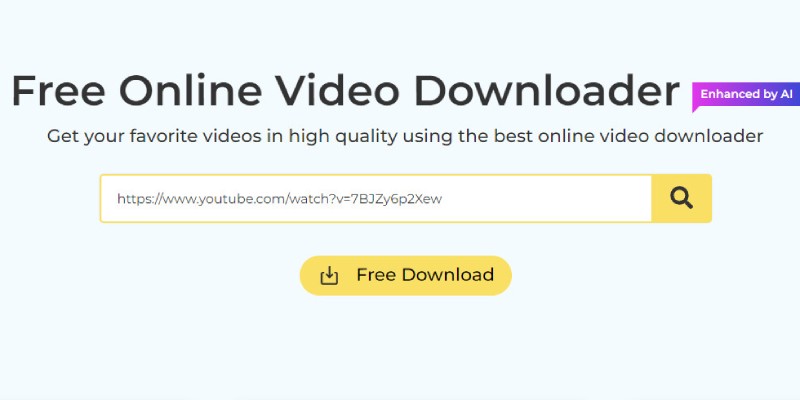
First, go to the video you want to convert on platforms. Click on the video to open it fully, then copy the URL from your browser's address bar. Ensure that you copy the entire link for the converter to recognize it correctly.
Next, head over to the URL to MP4 Converter page. You'll see a text box where you can paste your copied video link. Once pasted, click the "Convert" button. The tool will begin processing the video and prepare it for download in MP4 format.
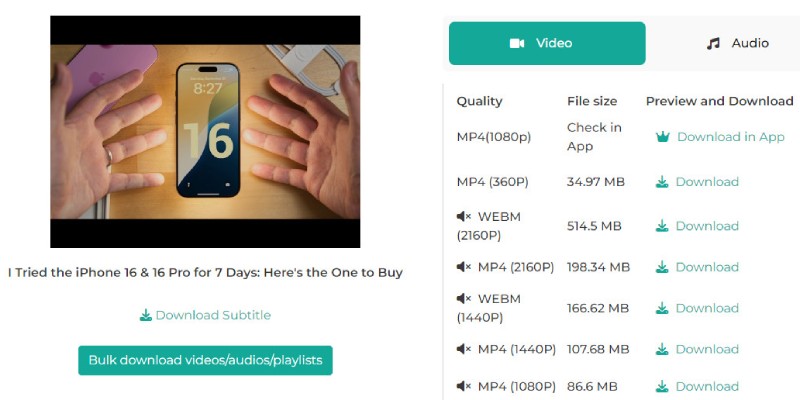
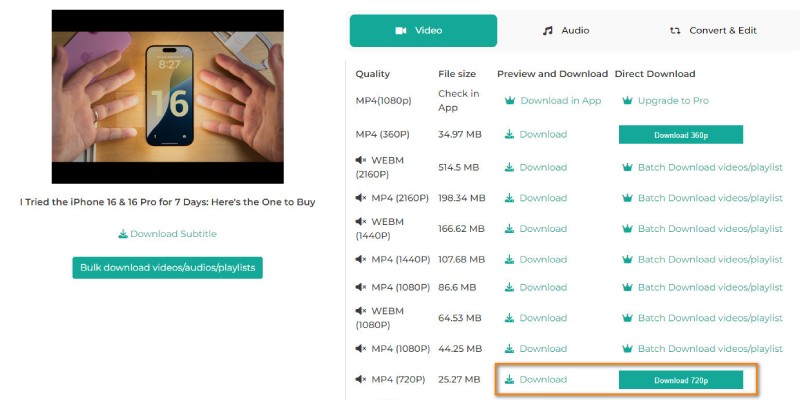
After the conversion is complete, a preview and download options will appear. Select MP4 format and then click the "Download" button to save the MP4 file directly to your device. Now you can watch the video offline anytime, no buffering, no ads.
No installation is needed. This URL to MP4 converter works entirely online through your browser. Paste your video link, click "Convert," and download—no additional apps, extensions, or setup required.
The tool is fully optimized for smartphones and tablets. As long as you have a browser and an internet connection, you can convert and download videos directly to your mobile device without any issues.
You can use the converter as often as you like. There are no usage caps, time limits, or download quotas. It's completely free and unlimited for personal use.
Ensure the video is public and accessible without requiring a login. Private videos or those behind a paywall can't be downloaded. Also, double-check the URL for accuracy and try refreshing the page if needed.
Yes, the converter aims to preserve the original video quality. Suppose the source video supports HD or 4 K resolution. In that case, you'll often be given the option to choose your preferred resolution before downloading the MP4 file.
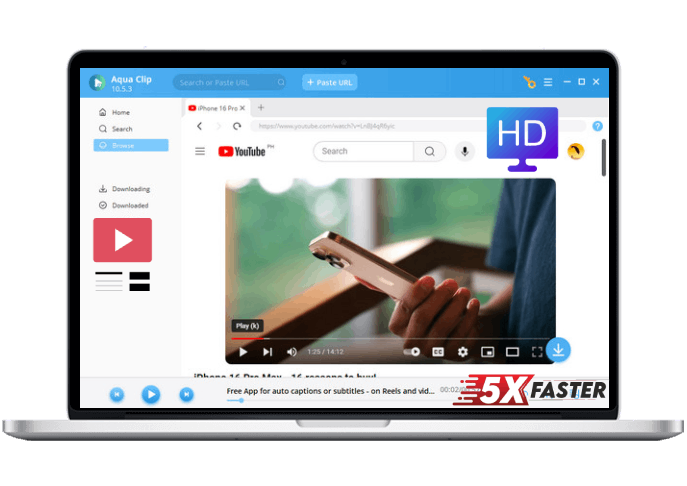

















 Aqua Clip